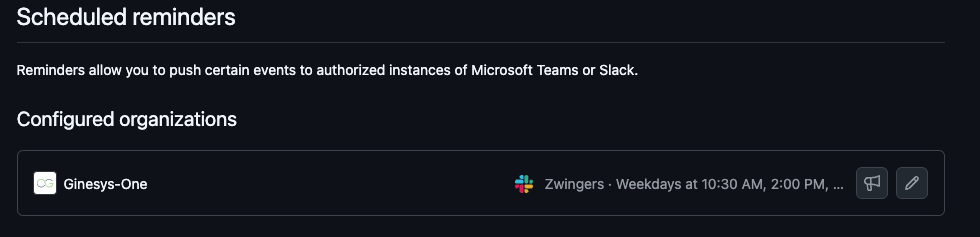
Github on Slack
Configuring Github notifications on Slack
You can easily receive notifications from Github on Slack. Follow the guide to know how to set it up.
- Go to your
scheduled reminders settingspage for Ginesys One. Click on theAuthorize Slack Workspacebutton,.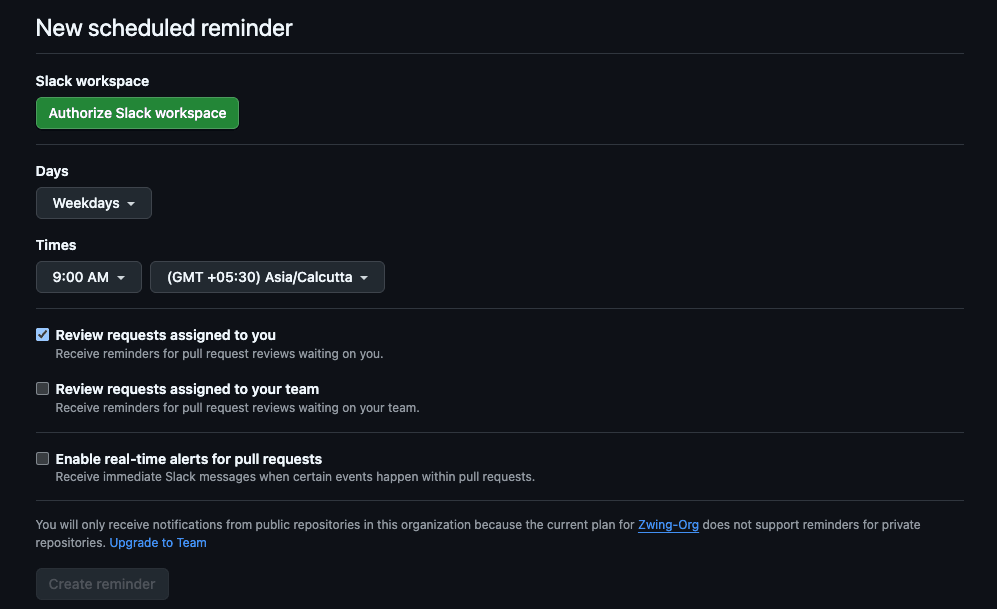
- Authorize your slack account with
Zwingersworkspace. Once successfully done, you should be able to seezwingersas connected. And you will also receive a notification on slack.
- Now, configure the reminder settings as below. This will help you receive only important notifications which concerns you.
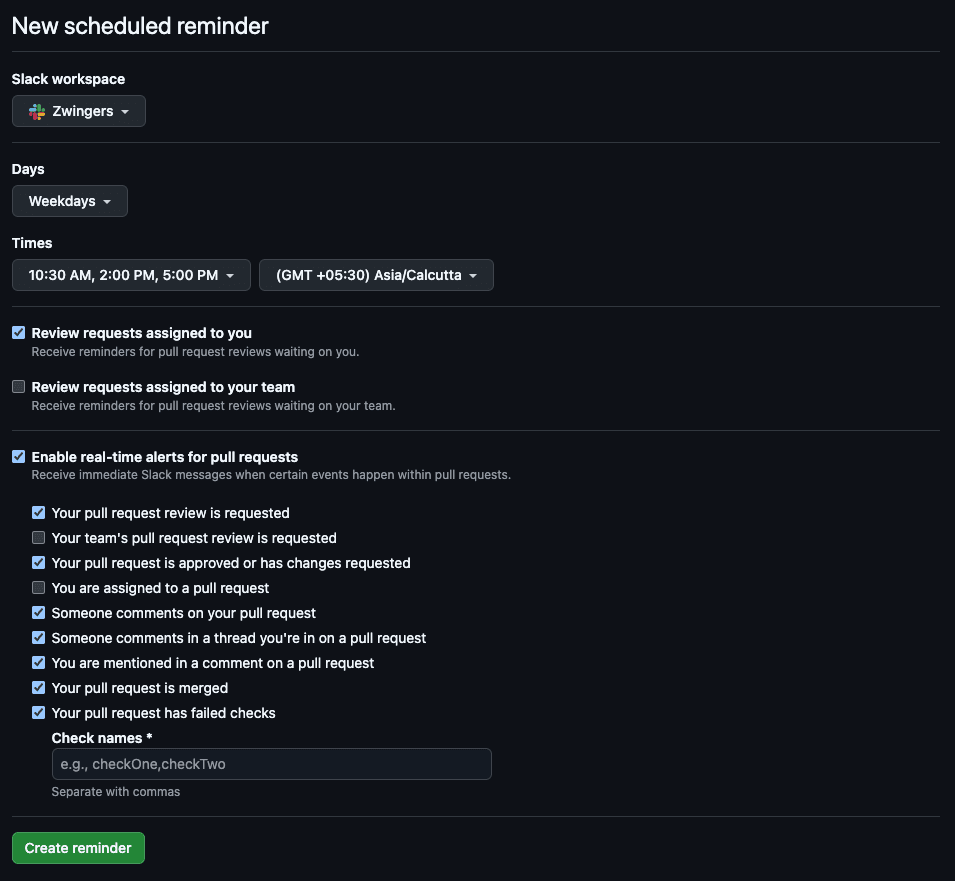
- Once done, click on
Create ReminderButton. Voila, your reminders are now configured. - To test your notifications, click on the
📣icon, you should receive a notification on slack from Github bot.